
How to integrate with DATEV Unternehmen Online: Every write is a task and nothing reads back
Most systems in this catalogue are a database you read and write. Unternehmen Online is the place a business hands documents to its tax advisor, and that single fact decides three things: an invoice arrives as two objects rather than one, every write comes back as a task id instead of a record, and the long token you authenticate with reaches exactly one company.

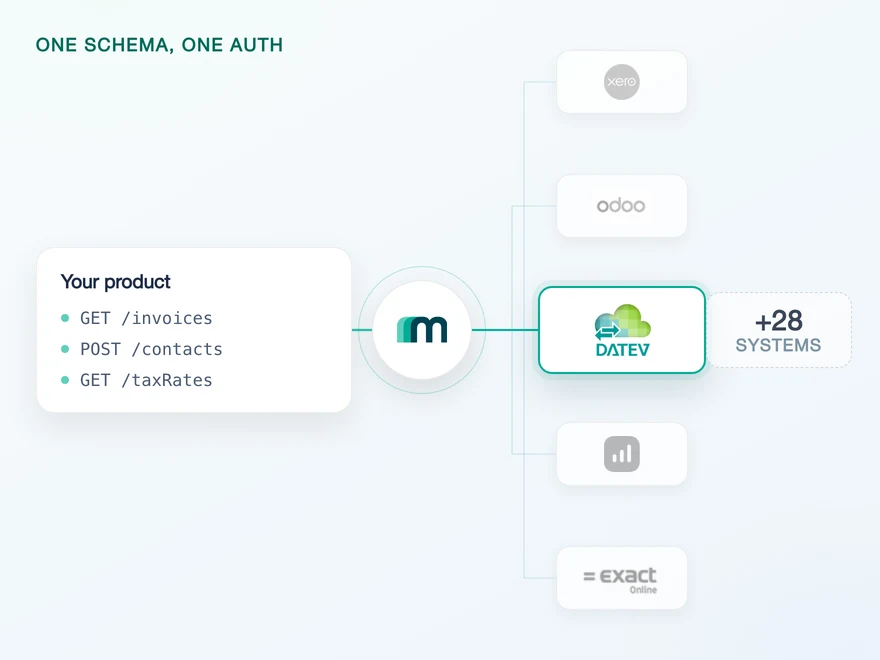
What a delivery channel changes about your data model
Most systems in an accounting integration behave like a database. You create a record, you read it back, you update it when it changes, and the system is the shared truth between your product and your customer. DATEV Unternehmen Online works differently, and every challenge during the development process traces back to that differentiation.
It is one of DATEV’s online applications, and its purpose is an exchange between two parties: a German business puts its receipts and accounting data in, and its tax advisor picks them up from there. Our documentation adds the second half of the job, that it is also the route data takes from a company’s own system towards other DATEV applications, DATEV Rechnungswesen among them.
So the question the integration answers is not “what is the state of this record”. It is “did this document arrive where the advisor will look for it”. That reframing decides the object mapping, the acknowledgement, the error handling and the freshness strategy.
The commercial and coverage detail sits on the DATEV Unternehmen Online API page,and the vendor level, meaning the full list of DATEV data services, the interface partner status and the sandboxes, sits one level up on the DATEV overview.
One consequence is worth stating early because it changes an architecture rather than a function. If your product needs to read a booking back, that is the sibling system: bookings are recorded in DATEV Rechnungswesen, and it is the one of the two you can query a ledger from. Teams that discover this after modelling usually discover it while writing a reconciliation feature.
Two DATEV services required for a full integration
The first mapping most teams attempt is the obvious one: an invoice in your product becomes an invoice in DATEV. On this system that write does not exist. Invoices, Bills and Credit notes are not writable objects on Unternehmen Online, and no amount of field mapping changes that.
What exists instead is four writable objects: Booking proposals, Expenses, Files and Transactions. An invoice with its document goes in as one of the first three, in a single call, because the Rechnungsdatenservice 1.0 carries the document image and the structured data together. A document with no record behind it takes the other route, as a file through the Belegbilderservice.
So an integration that does both needs both services connected, and each write uses one of them. That is not a Maesn abstraction, it is the shape of DATEV’s own data services, and its Schnittstellenvorgaben Cloud Integration publish what each one carries, checked 17 August 2026:
| DATEV data service | What it carries | Format | Online API |
|---|---|---|---|
| Belegbilderservice | Digital document images | Image formats | accounting:documents |
| Rechnungsdatenservice 1.0 | Document images including structured data | XML | accounting:dxso-jobs |
Booking proposals
the Maesn object you write
Rechnungsdatenservice 1.0
accounting:dxso-jobs
Files
the Maesn object you write
Belegbilderservice
accounting:documents
Two practical consequences fall out of the table. The first is that your scope request depends on which use case you need: an app that only pushes documents asks for one Online API, an app that posts invoices asks for another, and an app that does both needs both.
DATEV requires that you request only the scopes your customer actually needs, and a customer cannot decline them individually. They accept or reject the whole set on the consent page, so an over-broad request is a conversion problem as much as a compliance one.
The second is that a format is its own subject. For the Rechnungsdatenservice 1.0 DATEV publishes two separate sets of requirements, one for the data service and one for the DXSO file format itself.
Meeting the first does not mean you have met the second, which is why “DATEV format” is a topic in this ecosystem rather than a field. Through Maesn you write the common data model and the translation into either shape happens on our side.
Two tokens need to be handled per connection
Authentication here has a step that looks redundant until you know why it is there. There are two target systems for one product, datev-uo and datev-uo-longtoken, and the flow uses the first to get to the second.
The token you end up working with is valid for two years, which sounds like the end of the subject, and then our documentation adds the warning that matters: “The long token is only valid for API calls that include the specified company in the input.”
The reason sits in DATEV’s own definition of its refresh tokens rather than in anything on our side, and it is worth reading in full because it explains the whole flow:
| Variant | Lifetime | On refresh | Reach |
|---|---|---|---|
| Shortterm token | 11 hours | No extension | Every dataset released for the identity |
| Longterm token | 2 years | Extended by another 2 years | One dataset |
Read the last column again and the two-step stops looking redundant. The short token is the only one that can see more than one dataset, so it is the one that can list the companies a login reaches. The long token is defined as access to a single dataset, so the company has to be chosen before it can be issued. The access token in front of both is valid for 15 minutes.
In practice there are two ways through it. The interactive flow sends your customer to a selection page, stores the chosen company on the connection and hands you back an account key, with nothing downstream having to carry the company id. The manual route does the same three steps yourself when you want the interface to be your own.
# 1 · authenticate against the short-token systemGET /auth/datev-uox-api-key: YOUR_API_KEY# -> account key for the company list# 2 · fetch the companies this login can reachGET /companiesx-api-key: YOUR_API_KEYx-account-key: SHORT_TOKEN_ACCOUNT_KEY# 3 · authenticate again, now naming the companyGET /auth/datev-uo-longtoken?companyId=CHOSEN_COMPANY_IDx-api-key: YOUR_API_KEY# -> account key valid for two years, for that company only
Both target systems and the three steps are documented on our integration page.
If you use the interactive flow instead, set environmentSelection=true and leave companyId off the request. Our authentication reference is explicit that the parameter should not be set when using interactive authentication with DATEV long tokens, because it can stop the flow from working. It is the kind of detail that produces a bug report about the selection page rather than about the parameter.
One modelling decision follows, and it is cheap now and expensive later. Because the long token belongs to one company, a customer with two companies is two connections rather than one connection with a switch. Model it that way from the first sprint and the second company costs nothing. Model it per customer and you will be writing a migration.
There is also a naming trap in DATEV’s own model that has bitten integrations on other systems in the same shape.
The dataset identifier, DATEV’s client-id, is unique per API rather than globally: the same value on a Rechnungswesen API is not necessarily the same entity as on a payroll API. If your product ever touches more than one DATEV domain, the mapping between your entities and theirs is yours to keep, and DATEV asks you to explain it during the approval meetings.
Every write is a task, and the task is the receipt
If you pull data from a system, a native event or a second call validates the status of a write. Here neither is available: no object carries a native event, and nothing you write is readable. That would be a gap if the platform left it open. It does not, and the mechanism is the same one for all four objects.
Every writable object on this system is created through an asynchronous endpoint. The call returns a task id rather than a finished record, and a second async call is required to validate the status of the call, GET /asyncTask.
On Unternehmen Online that second call is not a convenience wrapper around a synchronous write. It is the only place the status of a delivery exists.
# 1 · post the structured recordPOST /bookingProposalsx-api-key: YOUR_API_KEYx-account-key: LONG_TOKEN_ACCOUNT_KEY# -> 202 with a taskId# 2 · read the outcomeGET /asyncTask/{taskId}x-api-key: YOUR_API_KEYx-account-key: LONG_TOKEN_ACCOUNT_KEY# -> the state of the write, and the failure reason if it failed
The same shape applies to expenses, files and transactions: all four writable objects on this system are asynchronous.
Two things follow for your own design. The first is that the task id is business data, not transport data. It is the only handle you will ever have on a document you sent, so it belongs in your own record next to the document rather than in a log line. If a customer asks in three weeks whether an invoice reached their advisor, the task id is the answer and there is no second way to reconstruct it.
The second is that your retry logic should key on it. Because the write is asynchronous, a timeout on the initial call tells you nothing about whether the document was accepted. Re-posting on a timeout risks a duplicate in your customer’s advisor’s inbox, which is the kind of error that costs trust rather than a support ticket. Resolving the task first is the cheaper branch.
What has to be switched on in your customer's DATEV
On a typical system the prerequisites are yours: register an app, get a key, pick your scopes. Here almost all of them live in your customer’s account, and several belong to a third party, their tax advisor. That makes them a conversation rather than a task, and it is worth having before the sprint rather than during it.
- A DATEV instance with a fiscal year, and Unternehmen Online enabled. Both are settings on the company, the Mandant, and no API call creates either.
- The DATEV app Belege Online, in the right mode. It has to be activated, in
standardorerweitert, and which one you need depends on the data service your use case runs on. - An access medium whose holder has the rights. A SmartCard or SmartLogin, held by someone with at least standard access rights for Belege Online. Those rights are configured in DATEV Rechteverwaltung Online, which is the advisor’s tool rather than yours.
- A real instance to test against. Our documentation calls testing against a live production environment both recommended and necessary before you offer the feature, on an instance carrying the service subscriptions your use case uses.
A request that is correct in every other respect still comes back refused when the mode is wrong. There is nothing in the payload to inspect and nothing in your code to fix, so the useful thing to build is not a retry but a message that names the setting and points at whose screen it lives on.
Development itself does not wait for any of this. DATEV has no free trial account, and the sandbox for both DATEV products is provided by us, which our sandbox reference states by name.
Client credentials, sandbox access and getting your integration approved by DATEV all run through Maesn, with no consulting packages to book. What the list above governs is the last mile before your first real customer, not the build.
What DATEV requires your connection screen to show
This part is not in the API reference, and it is what decides whether your production approval passes. DATEV does not only specify the API. It specifies your user interface for the connection, as a list of MUSTs, and the approval meetings check them.
DATEV expects a clear separation between establishing the connection and exchanging data, and on the connection screen:
- A button that starts it, with a label along the lines of “Mit DATEV verbinden”.
- A connection status that is quick to read, connected against disconnected, not buried in a settings page.
- A button that deletes the token, and it has to do both halves: remove it in your app and call DATEV’s revoke endpoint.
- The calculated expiry date, in at least
TT.MM.JJJJ HH:MMform. A two-year token expiring silently is exactly the case this rule exists for. - The full name of the person who issued it, read from the userinfo endpoint. On a shared connection this is the difference between an audit answer and a guess.
- A link to DATEV’s own connected applications app, apps.datev.de/tokrevui, so your customer can see and revoke from their side too.
Because the token here is the long-lived variant, two further requirements apply. You have to show which dataset the connection is for, and you may only display a successful connection after the API has confirmed the access rights for that dataset, typically with a GET /clients/{client-id}. In other words “we got a token” is not “connected”, and DATEV asks you to distinguish the two on screen.
None of this is work Maesn can do for you, because it happens in your product’s interface. It is short work if you plan for it, and an unpleasant surprise if you meet it in a review. The wider approval process around it, the sandbox release and the two production meetings, is a subject of its own and the partnership route is covered separately.
Nothing sends events, and round-the-clock polling is a DONT
Counted separately, because the three states of that column mean three different things: on this system no object carries a native event, two combinations are marked on request and both are webhooks, and the remaining 35 are not available. So there is nothing to subscribe to today.
The reflex on any system without events is to poll. Here that reflex runs into a rule from the other direction, and it is DATEV’s, not ours. Its Schnittstellenvorgaben Cloud Integration list Integration von 24/7 Pollings as a DONT in the section Ökonomie & Ökologie, and ask that you build so calls follow something the customer requested immediately beforehand, manually or by a rule.
A DONT is not a technical block. It endangers the approval of your integration, which on this platform is the thing standing between you and your first live customer.
Not a subscription and not a loop. A call that follows a customer action or a defensible rule, which on a write-only channel is the natural shape anyway: you send when there is something to send. The interval is still yours to choose, but “always” is not one of the choices.
There is a second number in the same section with teeth, and this one is a MUST. After production release DATEV expects an error rate below ten percent, measured as 4xx and 5xx responses against total requests, and it monitors it.
Exceeding it triggers a chargeable re-inspection. A well-behaved retry policy is therefore not only good manners, it is a commercial term, and a loop that repeatedly hits a refusal because a setting is wrong is the most likely way to breach it.
On this product none of that costs you much, because there is nothing to read anyway. On the sibling system it is the constraint that shapes the whole design, since there the ledger is worth reading. How event coverage varies across the catalogue, and what a system with no events changes about a sync, is the unified webhooks subject.
What stays on your side
Most of this seam is absorbable, and what is not divides cleanly. Four things stop being yours:
- The two-stage token and its company binding. Both target systems, the company selection and the two-year lifetime are resolved during the connection and stored per tenant, so your call sites see one account key.
- The two write routes and their formats. You post the common data model; whether a payload leaves as a document image or as structured XML, and which data service it goes through, is decided here.
- The asynchronous plumbing. The task id comes back through the same interface as every other system’s, so the polling of a task is not four different shapes across four objects.
- Access to DATEV without the partner process first. You build on the Maesn client, so nothing has to be applied for, paid or waited on before your first call. If you later want to be an official DATEV Interface Partner in your own name, we run that process with you and you move onto your own client; the DATEV fees for it are yours, and you keep building in the meantime.
Three things do not move, and two of them are decisions rather than work:
- Your record of what you sent. Nothing you write is readable, so the document, the task id and the outcome belong in your own store. No interface can invent a read that the system does not offer.
- Your connection screen. The button, the status, the expiry date, the issuing person and the revoke path run in your product’s interface, and DATEV checks them in the approval meetings.
- What triggers a call. A customer action or a rule is a product decision. It is where DATEV’s constraint and your own roadmap have to be reconciled, and nobody else can do that for you.
One note on the objects themselves. The coverage on this system is unusually final rather than a starting point: two combinations in the entire matrix are marked on request, which is the smallest number in the catalogue. On most systems that column is where a use case gets unblocked. Here it is worth reading the matrix as an answer.
5 objects, all of them context
4 objects, all of them documents
Empty. No object appears in both columns, so nothing you write into this system can be read back out of it. Neither column carries an update or a delete either.
Frequently asked questions
What is DATEV Unternehmen Online?
What can I write into DATEV Unternehmen Online?
Why is the DATEV long token bound to one company?
How do I know a document arrived in Unternehmen Online?
Can I read invoices back out of Unternehmen Online?
Do I need a tax advisor to use DATEV Unternehmen Online?
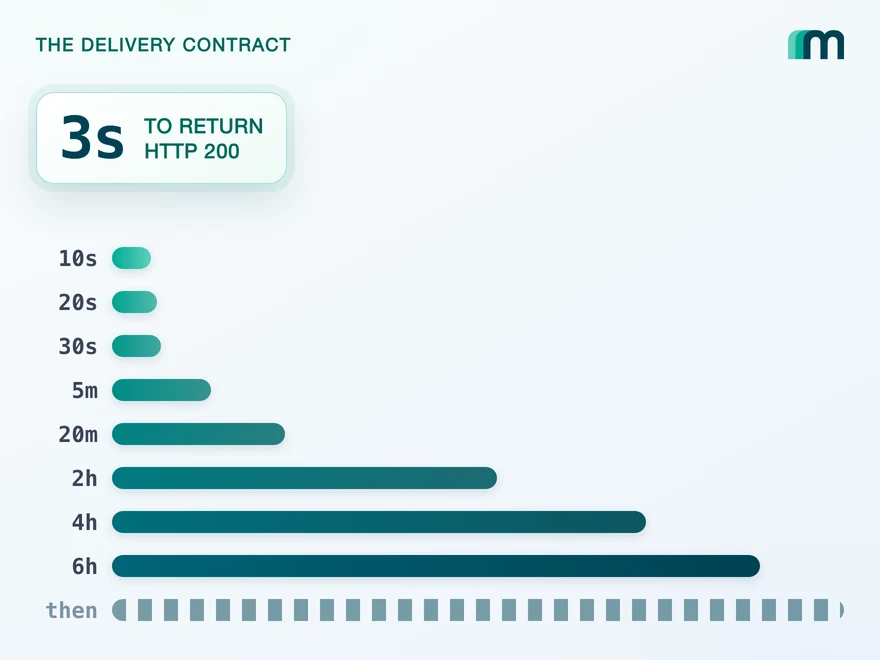
QuickBooks Online Webhooks: Events, Retries and Recovery
QuickBooks Online webhooks cover 29 entity types and expect HTTP 200 in three seconds. Why Intuit still asks you to poll change data capture.
Lennart Svensson · 25 Aug 2026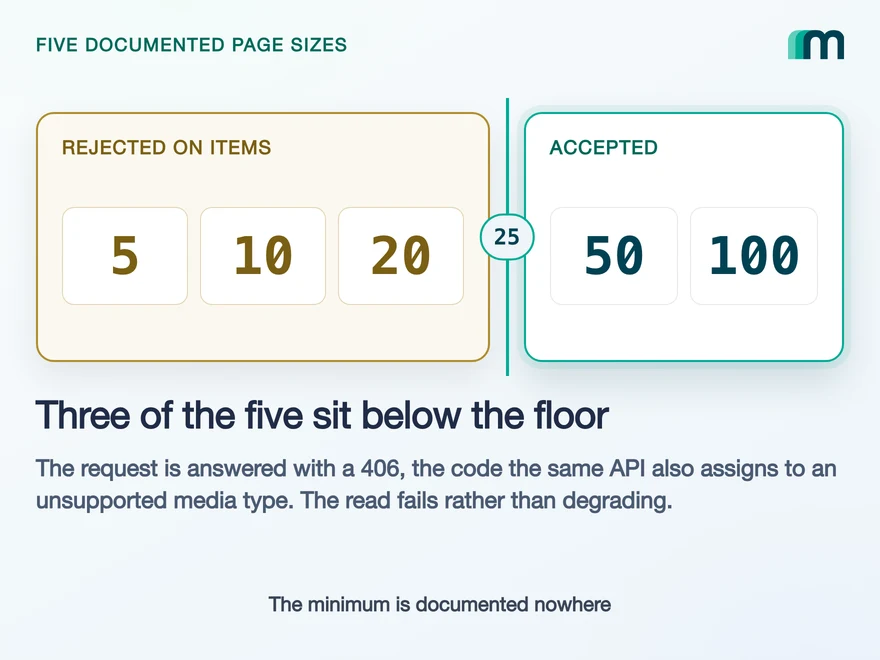
Lexware Office Pagination: The 406 and One Page Size
Lexware Office validates the page size and rejects a bad one with 406, the same code it uses for an unsupported media type. What that means for your read loop.
Lennart Svensson · 20 Aug 2026
How to Integrate with DATEV Rechnungswesen: One Connection
One connection carries reading and writing in DATEV Rechnungswesen, on a two-year token. Which objects travel in which direction is the real decision.
Lennart Svensson · 17 Aug 2026Build once on the Unified API.
Unternehmen Online takes documents and gives back a task id. The next system will hand you an event, or a delta read, or a webhook you have to activate per customer. Build against one interface and each of those differences becomes a field you read instead of a branch you maintain.