
How to integrate with Exact Online: 5.000 calls a day, and every event you act on spends one
Exact Online has the widest object coverage of any system we support and the smallest budget to reach it. Three documented rules decide the architecture before you write a line: 60 calls a minute per company, no parallel calls and an event that hands you an id rather than a record.

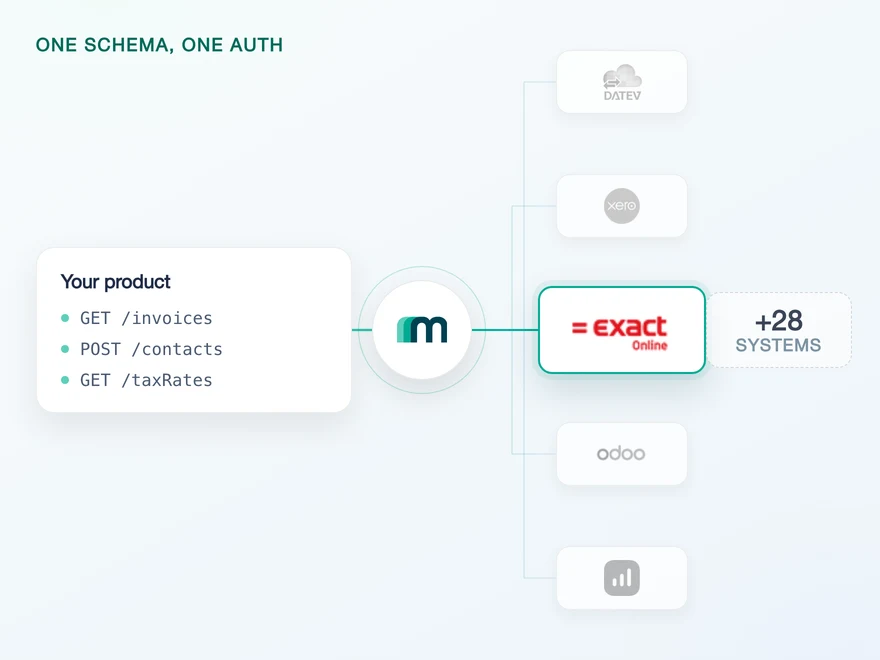
Three regional environments, and a division inside each
Exact Online is where a large share of Dutch and Belgian businesses keep their books, which is usually the reason a product ends up integrating with it. What makes it demanding is not the protocol. It is REST, it borrows OData’s query options and type names, and fetching a single record is unremarkable.
The difficulty is that there is no single Exact Online. The platform runs as separate regional environments, and an app belongs to exactly one of them. Inside an environment, data belongs to a division rather than to an account, and almost every resource URI carries it.
Three regional target systems are documented, each with its own callback, and only one of them supports the interactive flow that settles the division for you at connect time.
| Target system | Region | Interactive authentication flow |
|---|---|---|
| exact-nl | Netherlands | Yes. Your customer picks a division on a selection page and the choice is stored with the connection |
| exact-de | Germany | No. The division travels as a companyId query parameter on every call that needs it |
| exact-gb | United Kingdom | No. The division travels as a companyId query parameter on every call that needs it |
Target systems and callbacks from the Maesn Exact Online documentation, the interactive flow list from Maesn authentication, where exact-nl appears and the other two do not. Checked 7 August 2026.
Two calls are worth knowing before anything else. /api/v1/current/Me?$select=CurrentDivision tells you which division you are in, and /api/v1/{division}/system/Divisions tells you which ones the granting user actually opened up to your app. Those are not the same set as the ones they can open themselves, which is the next paragraph.
On the consent screen the user chooses which divisions your app may read, and Exact documents the consequence with a worked example. A user with rights to divisions A, B and C grants your app A and B.
Asking for C then returns User division is not within division scope. Asking for D returns Wrong division. Two errors, two causes: the first is your app’s grant, the second is the user’s own access.
If you want the object coverage, the authentication options and the App Store listing in one place, that is the Exact Online API page. What follows is how to build against the platform without spending a customer’s daily allowance on your first sync.
Division scoping and both error strings from Exact’s OAuth2 implementation overview, section DivisionLevelScoping, checked 7 August 2026.
60 calls a minute and 5.000 a day, per company
Exact publishes two rate limits and they are the frame for everything else on this page. An app may make 60 API calls per company per minute and 5.000 per company per day. Exceeding either returns 429.
Read the scope carefully, because it cuts both ways. Exact’s restrictions page states that both limits are per app and per division, and company and division are the same thing in this documentation. So a customer running four divisions gives you four separate budgets, and you cannot borrow from one to finish a sync in another.
The minute limit is also not a bandwidth figure, because you are not allowed to use it in parallel. Exact, verbatim: parallel API calls are not allowed, all integrations must use sequential API calls. Multi-threaded requests and pipelining are named as things not to do. Sixty a minute therefore describes a queue, not a burst.
| Window | Limit | Headers on every response with a division |
|---|---|---|
| Minute | 60 calls, per app, per division | X-RateLimit-Minutely-Limit, X-RateLimit-Minutely-Remaining |
| Day | 5.000 calls, per app, per division. Up to 30.000 on an Exact Premium licence | X-RateLimit-Limit, X-RateLimit-Remaining, X-RateLimit-Reset as UTC epoch milliseconds |
Limits, headers and the Premium allowance from Exact’s API limits, the per-app-and-per-division scope from REST API restrictions. Both checked 7 August 2026.
Requests without a company code in the URL are not counted against the daily limit. Exact names /api/v1/current/Me as the example, so the call that tells you which division you are in costs you nothing.
Ten errors an hour will lock the key
The second budget is the one nobody plans for. Exact allows no more than ten errors per API key, per user, per company, per endpoint and per hour. Past that the key is blocked from making further requests, the block lifts automatically after an hour, and it grows longer if the errors keep coming.
Which responses count is the part that changes how you write code: 400, 401, 403 and 404. A missing record is an error in this accounting. So the pattern of asking whether something exists and creating it if not is not merely wasteful here, it is a way to lock yourself out of one endpoint for an hour.
The same applies to retries. Exact asks you not to retry failing messages indefinitely and to separate transient errors from functional ones, because retrying a functional error is a loop that ends in a block rather than in a success.
Backoff, classification and the difference between a rejected call and a blocked client are the same problem on every system, which is why they sit in unified error handling rather than in each integration.
Error quota and counted status codes from API limits, retry guidance from REST API restrictions, checked 7 August 2026.
60 records a page, or 1.000 on the sync endpoints
Exact’s reference documentation puts it in one line: most of the REST API have a page size of 60, the bulk and sync endpoints have a pagesize of 1000, and it is recommended to use the sync endpoints where possible.
Behind it are five API types, and most objects offer several of them. Picking the right one is not an optimisation, it is the difference between fitting inside a customer’s daily allowance and asking them to buy a Premium licence.
| API type | Page size | What it is for |
|---|---|---|
| Regular | 60 | GET, POST, PUT and DELETE. The only type that writes |
| Bulk | 1.000 | Full initial load. $select is mandatory |
| Sync | 1.000 | New and changed records only, keyed on a Timestamp row version rather than a modified date |
| Deleted | 1.000 | Deletions, which sync does not report. Exact says to run it alongside sync rather than instead of it |
| Webhooks | n/a | Push, covered further down this page |
Types and page sizes from Exact’s API types and the REST API reference, checked 7 August 2026.
The default shape of the REST API, and the only one that writes.
Read only, and Exact recommends sync wherever it exists.
Same budget, roughly seventeen times the reach. The decision is which endpoint you call, and it touches none of your business logic.
Five thousand calls at 60 records reaches at most 300.000 records in a day. The same five thousand at 1.000 records reaches five million. Nothing about your data model changes between those two lines, only the endpoint you chose.
That is not a benchmark we ran, it is Exact’s two published numbers multiplied together. It is also why a first sync against Exact Online belongs on bulk, a steady state belongs on sync plus deleted, and the regular endpoints are for writing and for single records.
GET /api/v1/{division}/sync/CRM/Accounts?$filter=Timestamp gt 1&$select=ID,Name→ 200 { "d": { "results": [ … up to 1000 records, eachwith a Timestamp … ] } }# store the highest Timestamp you saw, then continue from itGET /api/v1/{division}/sync/CRM/Accounts?$filter=Timestamp gt 84213&$select=ID,Name# sync never reports deletions, so this runs alongside itGET /api/v1/{division}/sync/Deleted?$filter=Timestamp gt 84213
Filter form and the Timestamp gt 1 starting value from Exact’s reference documentation, entity SyncCRMAccounts. Paths shortened for readability.
Two details will bite eventually. The Timestamp is a row version and has no relation to a date, so it cannot be compared with one or converted into one.
And Exact resets those values when it moves a division to another database, after which everything has to be synchronised again. The date of the last move is readable as DivisionMoveDate on the divisions endpoint, which makes the reset detectable rather than mysterious.
Paging is sequential by construction. A response longer than the page size carries a __next property with a $skiptoken, and the next request cannot be built until the previous response arrives. Since parallel calls are forbidden anyway, that is consistent rather than restrictive. How the same paging and filtering question looks across systems is unified pagination and filtering.
One more rule closes the loop: Exact applies mandatory filtering on single and bulk endpoints where a sync API exists. Leave the $filter out and you get a 400 naming the fields it expects. The platform is steering you onto the cheap path, and it is worth going.
A 30-second window to refresh, every ten minutes
Exact Online authenticates with OAuth, and the token lifecycle has one number in it that surprises almost everyone. An access token is valid for 600 seconds. A new one may not be requested before 570 seconds have passed since the last successful token call. Both numbers are Exact’s, and they are on two separate pages of its documentation.
Subtract them and the legal refresh window is 30 seconds wide, once every ten minutes. Ask too early and you get Rate limit exceeded: access_token not expired. Ask too late and the token is already gone.
- 0 s
- Exact issues the access token.
- 570 s
- The earliest a new one may be requested. Sooner returns Rate limit exceeded: access_token not expired.
- 600 s
- The token expires. Every call after this is a 401.
The window is the gap between the last two marks. Refresh on a fixed ten-minute timer and clock drift decides whether you land in it.
The 570-second rule from API limits, the 600-second lifetime and the error text from response codes and error handling. Worth knowing before you write the handler: that page documents the same message under both 400 and 401. Checked 7 August 2026.
The refresh token has rules of its own, and each one ends the same way. It is single use: reusing one returns 401, and only the most recently issued one is valid. Running several authorisation requests in parallel invalidates the earlier chain, which Exact reports as token is not allowed, because of invalid or empty chainId. And since July 2021 a refresh token expires after 30 days.
That last one is an operational fact rather than a technical one. A connection nobody touches for a month does not degrade, it stops, and the only way back is asking your customer to authorise again.
Maesn holds the tokens, refreshes them inside the window and keeps the connection alive, so what your code carries is an account key that does not expire on a schedule. The general shape of that is unified authentication.
Single use, chainId and the 30-day validity from Exact’s OAuth2 implementation overview and response codes, checked 7 August 2026.
A new record arrives as an update
Exact Online has webhooks, and they are the reason you do not have to poll for changes. What they will not tell you is which kind of change happened.
Exact’s own tutorial is explicit twice over: creating, updating or deleting a record all produce a notification, and the action is either UPDATE or DELETE, and when the complete account is deleted the action is DELETE, in all other cases the action will be UPDATE.
| What happened | Action sent | What the event tells you |
|---|---|---|
| A customer is created | UPDATE | That this record exists and is worth fetching. Not that it is new |
| A customer is edited | UPDATE | That something on it changed. Not which field |
| A customer is deleted | DELETE | That it is gone |
Action semantics and the notification trigger from Exact’s getting started with webhooks, checked 7 August 2026. Treat an UPDATE as an upsert and the distinction stops mattering.
The second thing to know is what the notification contains, because it decides what an event costs you. Exact sends a Content object with the topic, the action, the division, the record’s Key and an ExactOnlineEndpoint to fetch it from, plus a HashCode for verification. It does not send the record.
So every event you act on is a call against the budget from earlier on this page. The notification itself is free, because the limits count the calls your app makes and Exact names webhooks as a way to stay under them. What costs is the fetch that follows, and an integration that fetches on every notification for a busy customer can spend a working day’s allowance on follow-up reads.
There is also a constraint that quietly decides where the subscription lives. Exact requires the callback URL to share the URL and domain of the redirect URI the app was registered with, over HTTPS, and validates it with an empty POST that has to answer 200 or 201.
Your app’s redirect URI points at Maesn, so the subscription is registered here and the normalised event is what continues to your service.
await axios.post(url, {callbackUrl,resource: "CONTACT" // subscribe to the resource, not a pair}, { headers: { "X-API-KEY": apiKey, "X-ACCOUNT-KEY": accountKey } });// what arrives at callbackUrl{"eventType": "UPDATED","filterDate": null, // not supported by Exact Online"resource": "CUSTOMER", // CONTACT comes back split in two"resourceId": "1605408d-ed88-4228-8a12-ab857a2972d8","userId": null // not supported by Exact Online}
Request and payload verbatim from the Maesn Exact Online documentation. The companyId parameter is required unless the interactive flow already stored the division.
Three details in that payload matter. The subscription is created per customer, so every connected account is its own registration. You subscribe to CONTACT and receive CUSTOMER or SUPPLIER, because Exact splits the two on the way out. And filterDate and userId arrive empty, because Exact does not send them.
Those two empty fields are the honest part of unification. The same envelope carries a Xero event with userId filled and a Lexware Office event with both of them empty, exactly like this one.
A unified payload does not invent data the source never sent, which is the point of a common data model and the reason to read a null as a fact rather than as a gap. The subscription mechanics are the same call on every system, which is unified webhooks.
Finally, plan for delivery failures. Exact retries a notification ten times with a delay of two to the power of the attempt number, in minutes. The gap between the ninth attempt and the tenth is 1.024 minutes, and the whole ladder spans 34 hours.
That is generous, and it has a second effect worth designing for: a callback that was down all morning hands you a burst afterwards, and the burst still has to fit inside 60 calls a minute.
If a second user of the same customer subscribes to a resource that already has a subscription, Exact returns 500 with the message Data already exists. It reads like a platform failure and it is a duplicate, so match on the message before you page anybody.
Payload, callback rules, the duplicate subscription and the retry ladder from Exact’s webhook documentation, checked 7 August 2026.
A missing right returns 200 and an empty list
This is the failure mode to build for first, because it does not look like one. Exact’s response code table says it plainly: when a client performs a GET but has no rights to retrieve that information, status 200 is returned with an empty list of records.
Nothing in that response separates it from a customer who genuinely has no invoices. A sync that quietly returns nothing looks healthy on every dashboard you have, and the first person to notice is the customer, weeks later, asking why their data never arrived.
The defence is cheap and it is worth wiring in on day one. When a read comes back empty for an object you expect to be populated, check what the user actually granted with /api/v1/{division}/system/Divisions before you conclude the company is empty, and surface the difference to the customer rather than to your log.
Its louder sibling is 403, which is not one condition but eight. Reading them as one status is how a permissions problem gets classified as an outage.
| What Exact reports | What it actually means |
|---|---|
| Insufficient user rights | The linked user lacks the right inside Exact Online |
| Application scope violated | Your app is asking outside the scope agreed in the data and security review |
| Wrong division | The linked user has no access to that division at all |
| User division not within division scope | The user has access, but did not grant it to your app on the consent screen |
| Inactive user | The account that authorised the connection has an end date |
| Division blocked | A backup is running, or Exact is moving the division to another database. Both are temporary, and the second one also resets your sync timestamps |
| The division is archived | Nothing will read from it until an accountant reopens it |
| Incompatible EOL functionality | The endpoint is not part of the customer's package, which is the next section |
All eight from Exact’s response codes and error handling, checked 7 August 2026. Remember that each of these also counts toward the ten errors an hour.
Which endpoints a customer's package includes
Not every endpoint is available to every Exact Online customer. Availability follows the package they bought, and the failure is a 403 reading incompatible EOL functionality, which tells you nothing about which module is missing.
It is documented, though, and per endpoint rather than in a single list. Every entity page in the reference carries a line saying this endpoint is available for the following packages.
PurchaseOrders, for instance, is available for Manufacturing in all versions, for Professional Services in Plus, Professional and Premium only and for Wholesale and Distribution in all versions. Check it while choosing endpoints rather than while debugging a customer.
The same principle catches a case that is easy to blame on the platform: multi-currency. A journal in Exact Online has one currency unless variable currency is switched on for it, and a foreign-currency entry posted into a single-currency journal is rejected or misread.
That part is real. What is not is the idea that it can only be arranged by hand: the journal exposes both properties over the API, and the exchange rate endpoint accepts writes too.
GET /api/v1/{division}/financial/Journals?$select=Code,Currency,AllowVariableCurrency→ 200 { "Code": "70", "Currency": "EUR","AllowVariableCurrency": false }# documented meaning: if AllowVariableCurrency is false,# Currency is the only currency that journal accepts.
Field names and semantics from the reference documentation, entities FinancialJournals and FinancialExchangeRates, both of which support GET, POST, PUT and DELETE.
One GET against a journal turns a class of silent posting failures into a precondition your code can state. It also costs one call out of 5.000, which is the cheapest thing on this page.
What stays on your side: The budget, the review and the window
We absorb the shape of the integration, not the rules of the platform. Five things stay with you, and it is cheaper to know that now than after the first customer call.
- The rate limit still reaches you. Only Maesn’s asynchronous endpoints absorb bursts. Everything synchronous passes the target system’s
429through, so backoff for Exact Online is yours to implement. What the asynchronous path does and does not cover is asynchronous processing. - Tax is not calculated by Maesn. We deliver the rates and structures as the system publishes them. What is owed, and on which basis, stays your model.
- Currency conversion is yours. We can read you the journal’s currency and whether it accepts others. Choosing a rate and standing behind it is a decision on your side.
- The App Store review is Exact’s decision. It runs in three stages, data and security, marketing and functional, and until it clears only the account that registered the app can authenticate. We prepare it and go through it with you as an official Exact partner, and we do not grant it.
- The maintenance window belongs in your scheduler. Exact documents that Exact Online and its APIs are unavailable between 4:00 and 4:30 in your local time, every day. A nightly job that starts at four will look like an outage once a day for as long as nobody moves it.
Rate-limit absorption from Maesn’s CTO, review stages and the daily window from Exact’s webhook documentation, checked 7 August 2026.
Exact offers a free regional trial account, and it doubles as the place your app is registered. Maesn additionally runs sandboxes for every supported system, Exact Online included, populated with test data on request. Neither of them shortens the App Store review, which is the step that decides when you can onboard someone other than yourself.
Frequently asked questions
What are the Exact Online rate limits?
Why does my token refresh fail with access_token not expired?
Does Exact Online send an event when a record is created?
Why does an Exact Online request return an empty list?
Which Exact Online divisions can my app read?
Does Maesn absorb the Exact Online rate limit?
Is there an Exact Online sandbox?
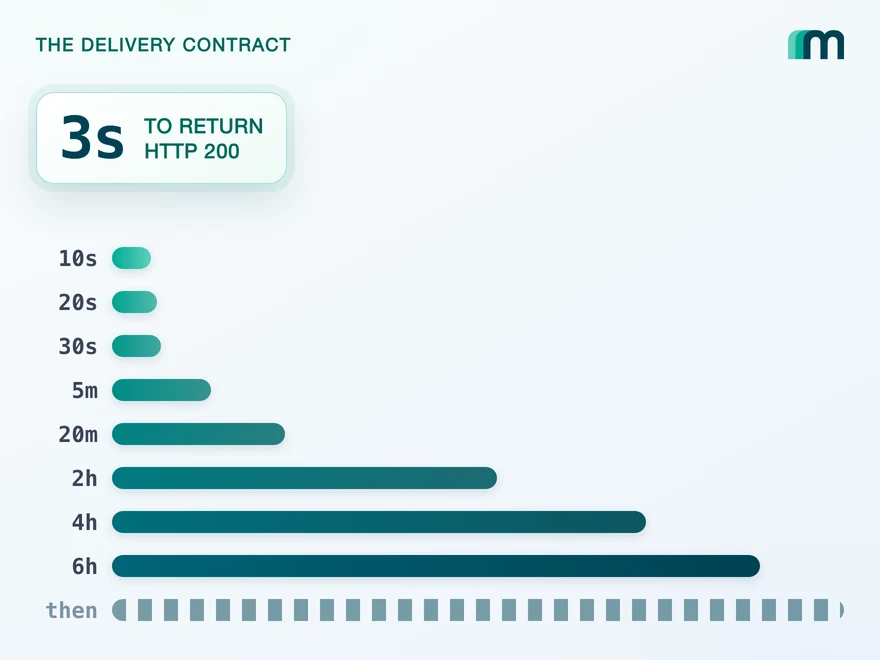
QuickBooks Online Webhooks: Events, Retries and Recovery
QuickBooks Online webhooks cover 29 entity types and expect HTTP 200 in three seconds. Why Intuit still asks you to poll change data capture.
Lennart Svensson · 25 Aug 2026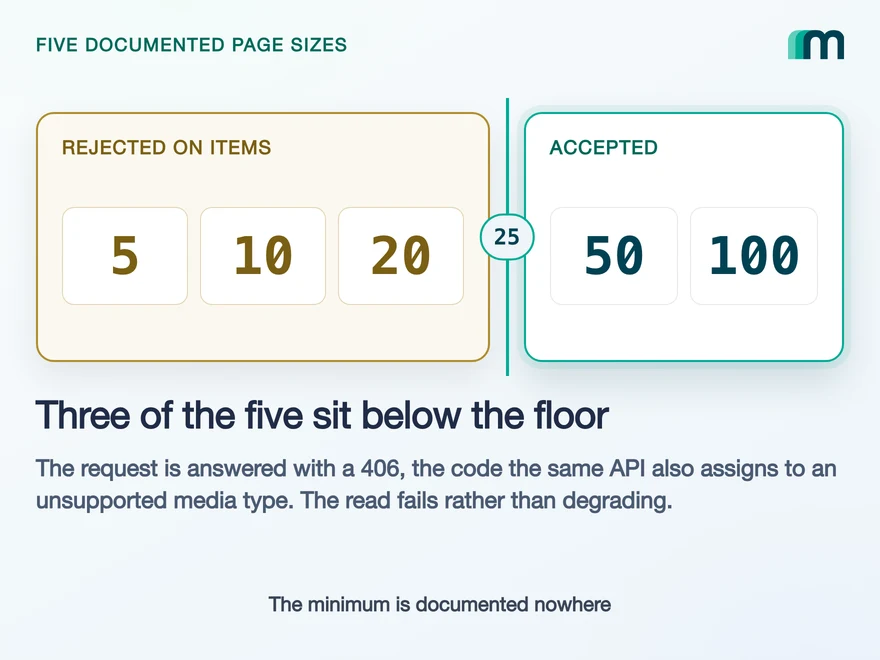
Lexware Office Pagination: The 406 and One Page Size
Lexware Office validates the page size and rejects a bad one with 406, the same code it uses for an unsupported media type. What that means for your read loop.
Lennart Svensson · 20 Aug 2026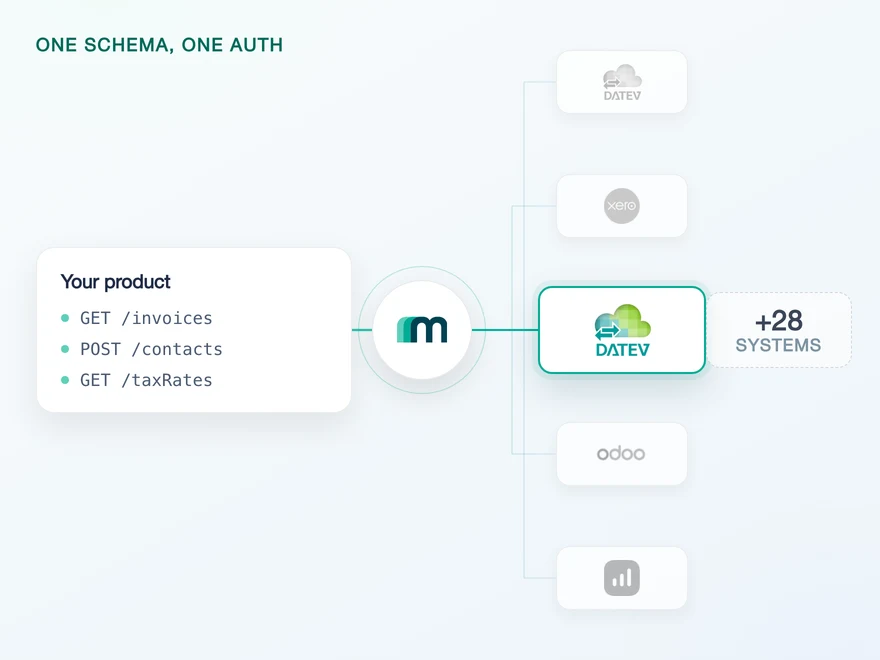
How to Integrate with DATEV Rechnungswesen: One Connection
One connection carries reading and writing in DATEV Rechnungswesen, on a two-year token. Which objects travel in which direction is the real decision.
Lennart Svensson · 17 Aug 2026Build once on the Unified API.
Call budgets, sync cursors, refresh windows and per-customer subscriptions are the same problem on every accounting system. Solve them once with Maesn instead of once per platform.