
Accounting and ERP integration challenges: What building them yourself actually involves
Your customers decide which accounting and ERP systems you support, and every one of them wants a different interface, a different data model and a different route to access. This is what that work looks like up close, and what changes when you do not do it yourself.

Why the accounting and ERP market is fragmented
There is no dominant accounting or ERP system in Europe. The market is split by country, by industry and by company size, and each of those splits produces its own set of established products. For a software vendor that means the list of systems you have to support is written by your customers, not by you.
The split by country is the one that catches product teams out first. Many of these systems are sold in exactly one market and are the obvious choice there, while being unknown one border further. Supporting a neighbouring country does not get you any of them.
These are the ones in our own directory that are available in a single country, with the market they serve:
- bexio — CH
- DATEV Rechnungswesen — DE
- DATEV Unternehmen Online — DE
- Lexware Office — DE
- Dinero — DK
- Holded — ES
- FreeAgent — GB
- Moneybird — NL
- SnelStart — NL
- Fortnox — SE
- Spiris — SE
The other side of the same picture is concentration. Across 19 markets, the busiest one has 13 systems competing in it. So the plan “we will start with the two systems everyone here uses” usually runs out inside the home market, before the first foreign customer even arrives.
19 markets in total across the country-bound systems.
Taken from our own integration directory. Systems sold europe-wide or globally are shown separately, because they do not belong to a single market.
The interface technologies you have to support
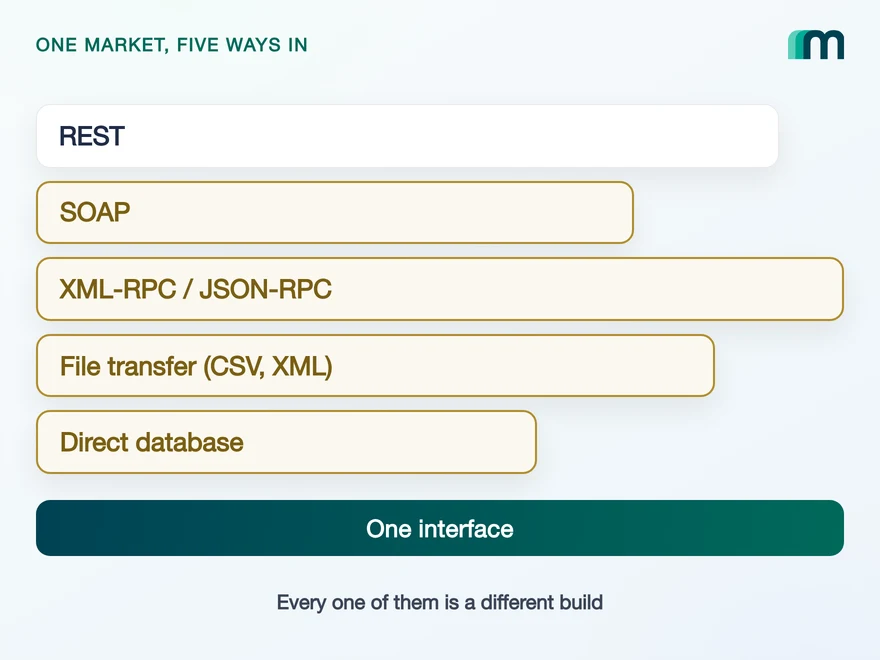
The first hurdle is technical, and it shows up before any business logic does. These interfaces are not a uniform layer of REST endpoints.
SOAP is still in production. So are XML-RPC and JSON-RPC. A good number of the older accounting systems do not offer a live interface at all and exchange data as files, in XML or CSV, on a schedule. Some on-premise systems are reached through the database directly.
Every row is a different client, a different error model and a different answer to “is it saved?”.
Each of these needs different expertise, different error handling and a different answer to the question “is the record saved now?”. A REST client and a scheduled file transfer are two separate builds that happen to move the same data. A system that answers asynchronously needs a second call to check the status of the first, and an interface that hides that from you is lying about it.
These technologies also age on the vendor’s schedule, not yours. The Odoo API is the visible example in our own portfolio: its RPC interfaces carry published removal dates, which turns a working connector into planned work whether or not anything on your side changed.
Interface technologies as described by our CTO, deliberately without a system-by-system mapping. The Odoo removal dates come from Odoo’s own reference and are covered in its integration guide.
Why every system models the same data differently
At a high level these systems do the same job. They all handle invoices, contacts, payments and bookings. Underneath, every one of them models that job slightly differently, and the differences are exactly where integration work happens.
Which objects exist, what they are called, which of them you can read, create, change or remove, and through which endpoint: all of that varies per system. So does the shape of a request. Creating a customer can be a single call in one system and three calls in the next, with the results merged afterwards, and the two will expect different data formats while they are at it.
None of this is exotic. It is the most ordinary part of the work, and it repeats for every object your product touches and every system you add.
Why the hardest part is undocumented
Everything above is at least written down somewhere. The work that actually costs the most is not.
Which field a system really matches an existing record on. Which combination of values it rejects without telling you why. What order it expects when two objects depend on each other. What a validation message means when it only returns an internal code. These things are found by building against the system and watching what it does.
That is also why the second integration is only cheaper in the parts you can reuse. The client, the retry handling and your own data model carry over. What you learned about the first system does not carry over at all, and that was the part that took the time.
How you get API access: partnerships, apps and approvals
Before any of this becomes relevant, the interface has to be open to you at all, and that is decided by the vendor rather than by the technology.
| Route | What it involves |
|---|---|
| API key | You generate a key in the account and start. The quickest route, and the least common at the ERP end of the market. |
| Registered app | The vendor wants a registered application before it issues credentials, usually with a review of what it does. |
| Technology partnership | A commercial agreement comes first, with a contract and a named contact on both sides. |
| Qualification and approval | A staged process: a test release first, then a production approval, sometimes in scheduled meetings with the vendor. |
| No public interface | Nothing is documented publicly. Access and behaviour are agreed directly with the vendor. |
Two of these routes have a property that surprises teams: their duration is not yours to control. A qualification process runs at the vendor’s pace, and it can sit on the critical path of a deal that was sold on the integration being ready. That is a scheduling risk, not an engineering one, which is why it is usually noticed late.
What the partner programmes ask for and what they give back is a subject of its own, and we have written it up in our accounting integration partnerships guide.
Why AI does not solve accounting integrations
The obvious question in 2026 is whether a coding assistant makes this go away. It helps where the documentation is public and complete, and in this market it often is neither.
Interface documentation here regularly sits behind a partner login that only qualified vendors can pass. Where it is public, it is frequently published only in the local language of the market the system serves. For some systems it does not exist in written form at all, and the answer comes from a conversation with the vendor’s support team.
A model cannot read what it cannot reach, and a plausible-sounding answer about an accounting interface is worse than no answer, because the result is a booking in someone’s ledger.
What building integrations in-house involves
Put those pieces together and building integrations yourself is mostly not a coding project.
Per system, a team has to understand how the system works, get in touch with the right people at the vendor, meet whatever the access route demands, build against behaviour that is partly undocumented, validate the result against a real instance, and then keep the relationship alive so the next change is not a surprise.
That is the work that turns into a permanent internal team, and it is a team whose expertise is other companies’ software. It does not get smaller after launch either, because the systems keep moving: interfaces get deprecated and versioned, rate limits change, credentials rotate, and a required field appears without an announcement.
The question that decides what maintenance costs is not whether that happens. It is who picks it up when a connector stops working during a month-end close.
How a unified API removes the per-system work
A unified API is the same work, done once, by a company whose product it is. The systems are already understood, the vendor relationships already exist, the access routes have already been walked, and the undocumented behaviour has already been found the expensive way. What reaches your team is one interface, documented in one place, covering the systems your customers use.
The per-system complications do not disappear. They move to our side, and each one has a mechanism with a page that explains what it does:
- Unified authentication — one connection flow, over vendors whose login models have nothing in common.
- Common data model — one shape per object, with the differences between systems resolved behind it.
- Unified pagination and filtering — one way to page through and filter data, over systems that disagree on both.
- Unified webhooks — one event stream, including from systems that send no events of their own.
- Unified logging and monitoring — one place to see what a request did, for each connected customer.
- Unified error handling — one error format, over vendor messages that are neither consistent nor always in English.
- Asynchronous processing — systems that answer immediately and systems that answer later, behind one interface.
- Customisation handling — the customer-specific fields a shared model would otherwise drop, still reachable.
The last one answers the standard objection to this whole category, and it is worth saying directly: a shared data model gives up detail by design, so the original response has to stay available next to the normalised one. When a customer needs a field the model does not carry, you can still get to it.
What that adds up to is straightforward. One integration reaches the systems your customers ask for, so your roadmap stops competing with connector work and a new system becomes a configuration question instead of a hiring question. Integrations are also the part of a product a customer is least willing to give up once their finance team works through it.
When a unified API is not the right choice
Three cases where the honest answer is that you do not need one.
One system, used very deeply. If your product integrates with a single accounting system and uses the far end of what it offers, a direct integration will always reach further than a shared model over many systems. The case for a unified API starts with the second system and grows with each one after that.
Something the systems themselves cannot do. No layer can add a capability a system does not have. If a workflow depends on removing records everywhere, and most accounting systems do not allow that on purpose, the answer is a different workflow, usually a reversal rather than a deletion.
Automating workflows between arbitrary applications. That is a different kind of tool. A unified API goes deep into one class of system, accounting and ERP, and gives you one contract over it.
Frequently asked questions
Why is building accounting and ERP integrations in-house so difficult?
How many accounting and ERP systems does a European product need?
What interface technologies do accounting and ERP systems use?
How do you get API access to an accounting or ERP system?
Can AI build accounting and ERP integrations for you?
Is a unified API faster than building integrations yourself?
What happens when a vendor changes its interface?
QuickBooks Online Webhooks: Events, Retries and Recovery
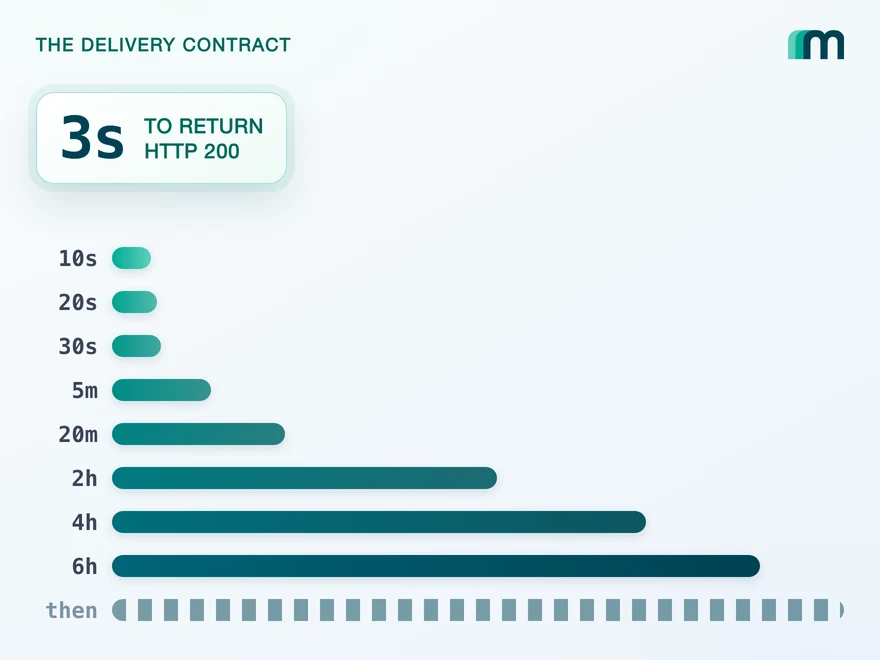
QuickBooks Online webhooks cover 29 entity types and expect HTTP 200 in three seconds. Why Intuit still asks you to poll change data capture.
 Lennart Svensson · 25 Aug 2026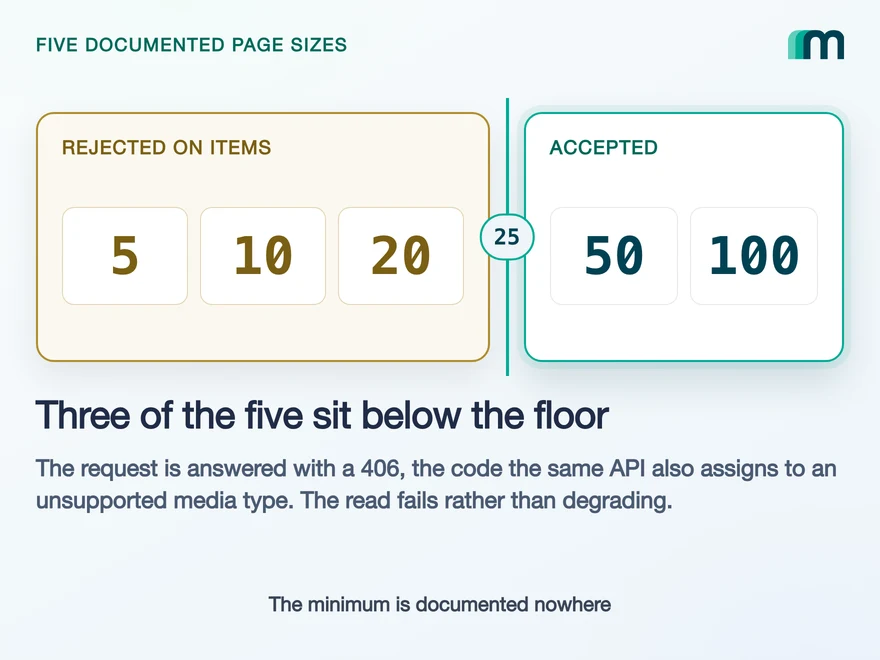
Lexware Office Pagination: The 406 and One Page Size
Lexware Office validates the page size and rejects a bad one with 406, the same code it uses for an unsupported media type. What that means for your read loop.
Lennart Svensson · 20 Aug 2026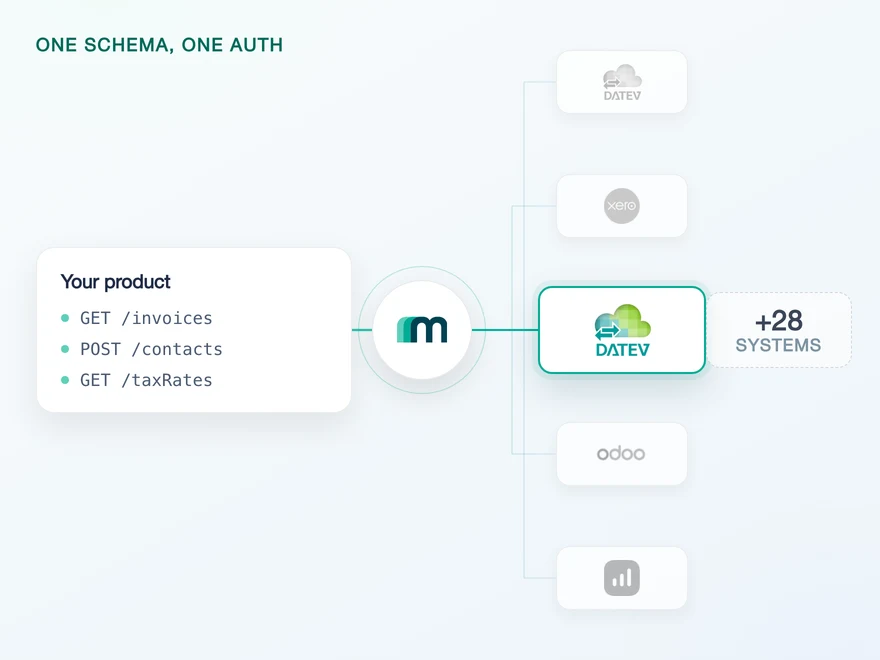
How to Integrate with DATEV Rechnungswesen: One Connection
One connection carries reading and writing in DATEV Rechnungswesen, on a two-year token. Which objects travel in which direction is the real decision.
Lennart Svensson · 17 Aug 2026Build once on the Unified API.
The systems in this market do not get simpler and there are not going to be fewer of them. What changes is who does the work: a connector for each one and a team to keep them running, or one interface, one data model and one set of credentials over the systems your customers already use.