
How to integrate with Spiris: ROT, RUT and who holds the connection
Spiris is Visma eAccounting under its Swedish name, and the rename in May 2025 moved the documentation rather than the interface. What a Swedish build meets on top of that shared surface is three things: an accounting office that usually holds the connection, account coding that arrives with the article and a deduction model spread across three levels of one invoice.

Four names in circulation, one interface underneath
A Swedish integration usually starts with a naming problem rather than a technical one, and the useful thing about this one is that the vendor dated it. The change is a changelog entry from 28 May 2025, not a rumour a prospect repeats.
Two things changed in that entry. The company Visma Spcs became Spiris, and in Sweden the product Visma eEkonomi became Bokföring & Fakturering, or Bookkeeping & Invoicing in English. In every other market the product name stayed eAccounting. The vendor closes the entry with the part that matters to an existing build: “Our API continues to support integrations across borders, and these naming updates will not affect your existing setups.”
So a Swedish customer may say Spiris, Bokföring & Fakturering, eEkonomi or Spcs, and all four resolve to the same target system. The developer portal now carries the Spiris name in its own navigation while the interface underneath it does not: the host is still eaccountingapi.vismaonline.com, the paths are still /v2/… and the target system through Maesn is still vismaeaccounting.
Which objects that connection reaches, and which of them sit on request, is listed object by object on the Spiris API page. The market split, the scopes, the token lifetimes, the paging and the rate limits are the same on every brand and are written up once on the Visma eAccounting API page and its guide. Everything below this line is the part that only applies in Sweden.
| Before | After | |
|---|---|---|
| Company | Visma Spcs | Spiris |
| Product in Sweden | Visma eEkonomi | Bokföring & Fakturering |
| Product elsewhere | eAccounting | eAccounting |
| Host | eaccountingapi.vismaonline.com | unchanged |
| Scope prefix | ea: | unchanged |
| Target system at Maesn | vismaeaccounting | unchanged |
The rename, both product names and the sentence about existing setups from Visma’s changelog entry of 28 May 2025. Host, paths and portal naming from its developer start page, checked 20 August 2026. The target system identifier from the connect guide.
The accounting office usually holds the connection
In Sweden the party that authenticates is frequently not your customer. Small companies work with an accounting office, and the vendor builds that assumption into its own recommendation rather than leaving it to local knowledge.
The reason is the plan. In the vendor’s words, “the accounting office always has Bookkeeping & Invoicing+, whereas the customer can have any of the other variants”, and the recommendation follows from it: to reach all of the endpoints, a user “from the accounting office, who also has access to the end customer’s Bookkeeping & Invoicing, should perform the authentication”.
That has a consequence for your product before it has one for your code. The person who clicks through the consent screen may be a third party who serves dozens of your customers, so whatever your interface says during connect is read by an accountant rather than by the business whose data it is.
And it comes with a trap that produces a connection to the wrong company rather than an error. The office user has to pick the right company in the selector, and the selector can be missing: an office set to a standard company in Spiris has it overridden. The documented remedy is to send prompt=select_account in the authorisation request, which the vendor recommends anyway, because omitting it “may result in automatic or unpredictable logins with an already selected company”.
GET https://identity.vismaonline.com/connect/authorize?client_id=<client_id>&redirect_uri=<redirect_uri>&scope=ea:api%20offline_access%20ea:sales&state=<state>&response_type=code&prompt=select_account&acr_values=service:44643EB1-...# prompt=select_account always show the company selector# prompt=login force the user to log in# both together: prompt=login+select_account
acr_values narrows the selector to companies that actually have access to the product, which is the second half of not connecting the wrong one. The full identifier is on the vendor’s authentication page.
Through Maesn this is one flow rather than one per system: unified authentication submits the scope set with the credentials, sends these parameters on every authorisation request and returns one account key for the connection, whoever performed it.
The plan asymmetry, the recommendation and the overridden selector from Visma’s FAQ for Bookkeeping & Invoicing. The two parameters, their wording and the combination syntax from its authentication guide. Both checked 20 August 2026.
Account coding arrives with the article, not the invoice
The second Swedish surprise is a restriction, and it is the kind that is cheaper to know than to discover. You cannot decide which accounts an invoice posts to from outside the product.
The vendor answers it as a flat no: “all articles have predefined account codings that determine which accounts are used on the invoice. These can only be added or changed directly in Bookkeeping & Invoicing, not via the API.” The coding is a property of the article, reachable as CodingId and listed on /v2/articleaccountcodings.
So the lever you have is article selection. A row references an article, the article carries the coding and the coding decides the accounts. Building a Swedish invoice therefore means mapping your own product catalogue onto articles that already exist in that tenant, rather than sending accounts along with the amounts.
One rule follows from the same page and is easy to trip over on a first write: an invoice needs at least one row carrying an article id to be valid. Rows without one are text rows, flagged by IsTextRow, and an invoice made only of those is not an invoice.
The chart of accounts itself is addressed per fiscal year, on /v2/accounts/{fiscalyearId}, with a separate standard set on /v2/accounts/standardaccounts. Individual tenants rename, add and remove accounts, so it is a per-customer reference rather than a national constant you can hold in code.
| Decision | Lives on | Settable from outside |
|---|---|---|
| Which accounts are posted to | The article's coding | No |
| Which article a row uses | The invoice row | Yes |
| Whether a row is text only | IsTextRow on the row | Yes |
| Which accounts exist at all | The tenant's fiscal year | No |
| Cost centre allocation | Up to three ids on the row | Yes |
Cost centres are the one place where this system is more generous than it first looks. A tenant can run up to three groups of cost centre, and a row carries an id for each of them, so an allocation your product already tracks has somewhere to land without a custom field.
The account coding answer, the article id requirement and the three cost centre groups from Visma’s FAQ for Bookkeeping & Invoicing. CodingId, IsTextRow, the cost centre ids and the account endpoints from its interface reference, both checked 20 August 2026.
One VAT code resolves to up to three accounts
VAT on this system is a reference rather than a number, and the reason is visible in the shape of the object. A VAT code carries a code, a description and a rate, and it also carries the accounts that rate posts to: AccountNumber1, AccountNumber2 and AccountNumber3.
That is why the same percentage is not interchangeable between two Swedish tenants. The rate may match while the accounts behind it differ, so a VAT code is a per-customer reference to read from /v2/vatcodes, or from /v2/vatcodesrates when you want the rates alongside it.
Two customer-level switches change the calculation before any row does. DeliveryBasedVat makes the delivery address the basis for VAT and OSS, which also makes the delivery city, country code and postal code mandatory. ForceBookkeepVat includes VAT for a non-EU customer and cannot be set for a country inside the EU.
And one flag decides whether a Swedish invoice can carry a deduction at all: IsPrivatePerson. The next section is only reachable for those customers.
| Field | Sits on | What it decides |
|---|---|---|
| VatRate | The VAT code | The percentage applied |
| AccountNumber1 to 3 | The VAT code | Which accounts the VAT posts to |
| OssCodeType | The VAT code | None, sales or VAT for OSS |
| PercentVat, VatRate | The invoice row | The rate on that line |
| IsVatFree | The invoice row | The line is exempt |
| DeliveryBasedVat | The customer | Delivery address is the basis |
| ForceBookkeepVat | The customer | VAT for a non-EU customer |
The fields in this table come from Visma’s interface reference, checked 20 August 2026, out of its OpenAPI document rather than out of prose, so the names are the ones you type. Rates are not quoted: on this interface they are tenant data rather than a documented constant.
ROT and RUT are typed on three different levels
This is the part of a Swedish build that has no equivalent in the Norwegian or Dutch markets. ROT and RUT are tax reductions a private customer claims on work done at home, ROT for repair and conversion work on a property, RUT for household services, and both are modelled explicitly in the interface.
Modelled in three places, which is the detail worth planning for. The invoice carries the deduction, the row carries the work and the article carries the trade. Miss one level and the other two produce an invoice that looks complete and reduces nothing.
| Level | Fields | Purpose |
|---|---|---|
| Invoice | RotReducedInvoicingType, RotPropertyType, RotReducedInvoicingPropertyName, RotReducedInvoicingOrgNumber | Which deduction, which property and whose identity number |
| Invoice, amounts | RotReducedInvoicingAmount, RotReducedInvoicingPercent, RotReducedInvoicingAutomaticDistribution | The amount and how it is spread |
| Row | IsWorkCost, WorkCostType, WorkHours, MaterialCosts | Which lines are work, and the split behind the figure |
| Article | HouseWorkType | The trade, carried once per catalogue entry |
| Company | UsesRotReducedInvoicing, RotReducedInvoicingPercent, RotReducedInvoicingMaxAmount, RutReducedInvoicingPercent, RutMaxAmountForPersBelow65Year, RutMaxAmountForPersOver65Year | Whether it is on, the rates and the ceilings |
Three of those fields have rules rather than just types. The property name becomes required as soon as a property type is set, the identity number of the buyer is capped at eleven characters, and the reduction is calculated for you unless you send an amount yourself.
The trade list is longer than it sounds and it is not contiguous. There are 26 values, twelve on the ROT side and thirteen on the RUT side plus one for none of them, running up to 29 with gaps at 8, 11, 16 and 17. A loop over a numeric range therefore produces values the interface does not know, and the same list appears on the article as HouseWorkType and on the row as WorkCostType.
Green technology sits next to it as its own small enum on the row, with solar cells, electric energy storage and a vehicle charging point. It shares the property name field with ROT, so setting either makes that field required.
0 None1 RotConstructionWork 9 RutCleanJobWork2 RotElectricalWork 10 RutCareClothTextile3 RotGlassSheetMetalWork 12 RutSnowRemove4 RotGroundWork 13 RutGarden5 RotBrickWork 14 RutBabySitting6 RotPaintDecorateWork 15 RutOtherCare7 RotPlumbWork 18 RutRemovalServices20 RotHeatPump 19 RutITServices21 RotHeatPump2 22 RutHomeAppliances23 RotSolarHeatingSystem 26 RutLaundry24 RotWoodBoiler 27 RutFurnishing25 RotFuelBoiler 28 RutGoodsTransport29 RutHomeSupervision# 8, 11, 16 and 17 are not assigned.
Read from the OpenAPI document on 20 August 2026. The percentages and ceilings that turn these into money are not in this list: they are company settings, readable with the company and written through their own endpoint.
Fields, enum values and the gaps in the numbering come from Visma’s interface reference, checked 20 August 2026. Swedish tax rates and ceilings are not quoted: this interface exposes them as company settings, so a figure here would be a number without a source at the vendor.
What a Spiris connection gives you today
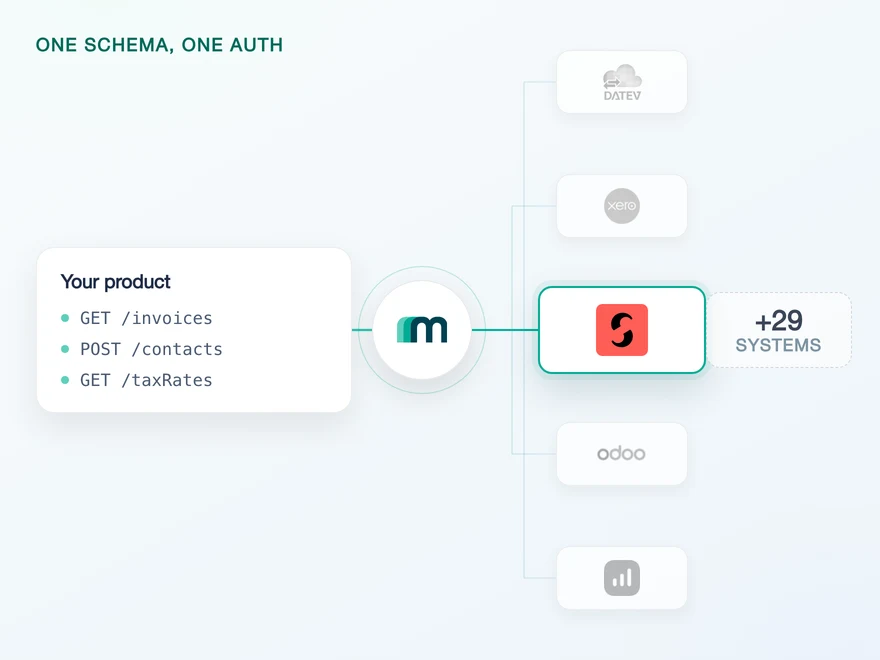
Everything above is the Swedish surface a direct build has to learn. Through Maesn it arrives as one connection on the same interface as every other accounting system you support, and the objects your use case needs are switched on for it.
| Operation | Live | On request | Not offered |
|---|---|---|---|
| Read | 2 | 28 | 7 |
| Create | 0 | 29 | 8 |
| Update | 0 | 29 | 8 |
| Delete | 0 | 29 | 8 |
| Webhook | 0 | 30 | 7 |
Customers and suppliers read on this connection today. The rest of the catalogue is 145 combinations available on request, the highest count of any system we connect, so the productive question is a narrow one: which objects does your Swedish use case touch. Name them and they get switched on for your connection.
Freshness runs on a scheduled read, and the paging behind it is handled on our side, so a read returns the complete set rather than the first fifty records. Everything you read arrives in the same common data model as every other connected system, which is what keeps a Swedish customer from becoming a second shape in your product.
What Maesn takes off your side:
- The whole Swedish surface above. The deduction fields on three levels, the trade list with its gaps, the VAT code that resolves to three accounts and the account coding rules are ours to hold. Your product sends one shape.
- The connection, whoever makes it. An accounting office connecting on a client’s behalf is the normal case here, and the flow, the company selection and the token lifecycle run on our side of it.
- Three markets on one build. Spiris, and eAccounting in Norway and the Netherlands, are one target system. A Swedish customer costs no second implementation.
- Paging and reconnects. Collections are paged for you, and a token that dies without warning surfaces as a connection state rather than as a 401 in your logs.
What stays with you:
- The article mapping. Account coding travels with the article, so matching your catalogue to a tenant’s articles is your model rather than ours.
- Which objects to name. Two read today and the rest is on request, so the list your use case needs belongs in the conversation before a customer commitment rather than after.
- Who authenticates. Whether you route an accounting office or the business itself through connect is a product decision, and it decides what your consent step has to say.
Object counts from the matrix in the integration documentation, counted per operation across all 37 objects of the shared target system. There is no separate Spiris matrix, and there should not be: it is the same target system under its Swedish name, so a second table would mean one of the two was wrong.
Frequently asked questions
Who should authenticate a Spiris connection, the client or their accounting office?
Why does the company selector not appear when I connect Spiris?
Can I set the accounts on a Spiris customer invoice?
Does every Spiris invoice row need an article?
Which fields does a ROT or RUT invoice need in Spiris?
Are the ROT and RUT percentages fixed in Spiris?
How do I get the objects my Swedish use case needs?
QuickBooks Online Webhooks: Events, Retries and Recovery
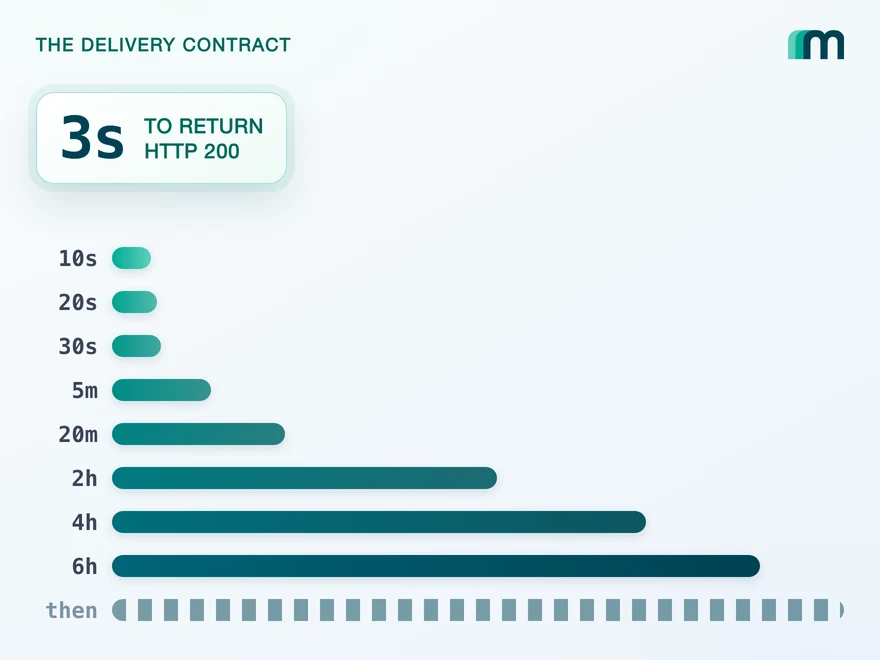
QuickBooks Online webhooks cover 29 entity types and expect HTTP 200 in three seconds. Why Intuit still asks you to poll change data capture.
Lennart Svensson · 25 Aug 2026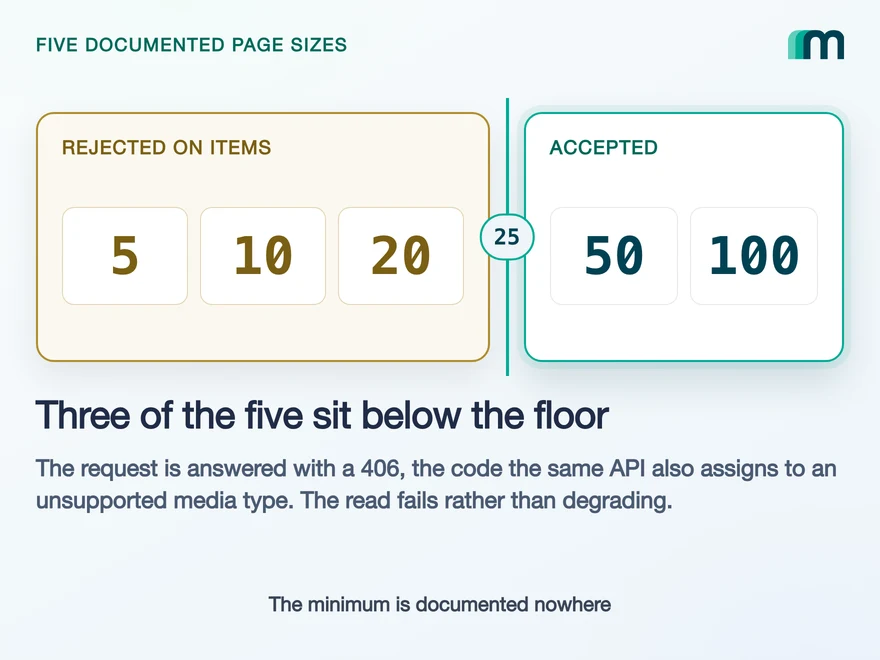
Lexware Office Pagination: The 406 and One Page Size
Lexware Office validates the page size and rejects a bad one with 406, the same code it uses for an unsupported media type. What that means for your read loop.
Lennart Svensson · 20 Aug 2026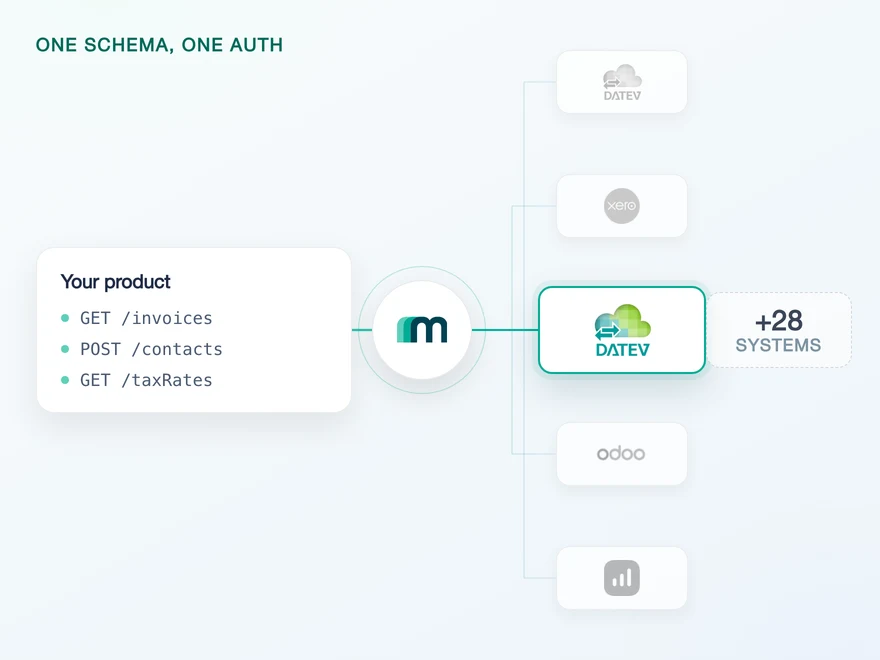
How to Integrate with DATEV Rechnungswesen: One Connection
One connection carries reading and writing in DATEV Rechnungswesen, on a two-year token. Which objects travel in which direction is the real decision.
Lennart Svensson · 17 Aug 2026Build once on the Unified API.
Sweden adds an accounting office to the consent step, an account coding you cannot set from outside and a deduction model typed on three levels. Norway and the Netherlands add none of it, and both run on the same target system. Reaching them through one interface is what turns that difference into a row in a table.